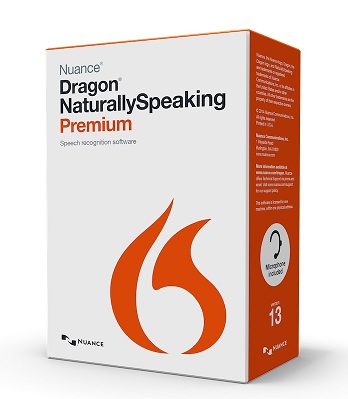
Dragon Naturally Speaking Premium 13 (formerly Preferred)
 |
|
Description
|
Price
|
| Dragon Naturally Speaking Premium 12 w/ headset |
$199
|
| Dragon Naturally Speaking Premium 12 w/ Bluetooth Wireless headset |
$299
|
| Dragon Naturally Speaking Premium 12 w/ Digital Recorder |
$299
|
Dragon is licensed per speaker, but can be loaded on 3 computers.
Each speaker needs a license.
|
We offer FREE Technical Support
|
Dragon NaturallySpeaking® Premium 13 (formerly Preferred) enables small business and advanced PC users to create documents, spreadsheets, and e-mail—all by speaking! Talk to your computer and your words instantly and accurately appear in Microsoft® Word and Excel®, Corel® WordPerfect®, and virtually all Windows®-based applications. Listen to incoming e-mail and documents read aloud. Search the Web by speaking URLs and links. Use dictation shortcuts that enable you to insert blocks of texts or bitmaps—such as your name, title, and signature—with a single voice command. Dictate directly into a PC or any Nuance-approved handheld digital recorder. A noise canceling microphone is included.
- NOTE: Dragon Premium 13 No longer supports Windows XP, or Windows Vista. You must have at least a Windows 7 Operating System that meets all other system requirements.
Downloadable Data Sheet: Dragon Naturally Speaking Premium (Click to view/ download)
System Requirements
The install process checks that your system meets the minimum requirements; if they are not met, Dragon NaturallySpeaking will not be installed.
- CPU: Minimum 2.2 GHz Intel® dual core or equivalent AMD processor. NOTE: Faster processors yield faster performance. (IMPORTANT: SSE2 instruction set is required)
- Processor Cache: We recommend 2 MB L2 cache. (Minimum: 513 KB L2 cache)
- Free hard disk space: 4 GB
- Supported Operating Systems:
- Microsoft Windows 7 and higher, 32-bit and 64-bit
- Microsoft Windows 8 & 8.1, 32 and 64-bit
- Windows Server 2008 R2
- Windows Server 2012
- RAM: Minimum 2 GB for 32-bit Windows 7, 8 & 8.1; 4 GB for 64-bit Windows 7, 8 & 8.1 and Windows Server 2008 R2, Windows Server 2012
- NOTE: Dragon Premium 13 No longer supports Windows XP, or Windows Vista. You must have at least a Windows 7 Operating System that meets all other system requirements.
- Microsoft Internet Explorer 9 or higher for online help (free download at www.microsoft.com)
- Internet Explorer 9, Firefox 13 or higher, or Google Chrome 16 or higher are required in order to experience the enhanced capabilities in Gmail and Hotmail
- Sound card supporting 16-bit recording
- A DVD-ROM drive for installation
- A Nuance-approved noise-canceling headset microphone (included in purchase). See details at support.nuance.com/compatibility/ (includes USB adapters and digital voice recorders).
Note: An Internet connection is required for automatic product activation (a quick anonymous process).
*This edition of Dragon does not support dictation directly into Electronic Medical Record (EMR) systems. For EMR support, please use Dragon Medical Edition.
Order Dragon Naturally Speaking
Schedule your FREE Medical Transcription Software Demo today.
View the History of Voice Recognition and Speech Recognition Software
|